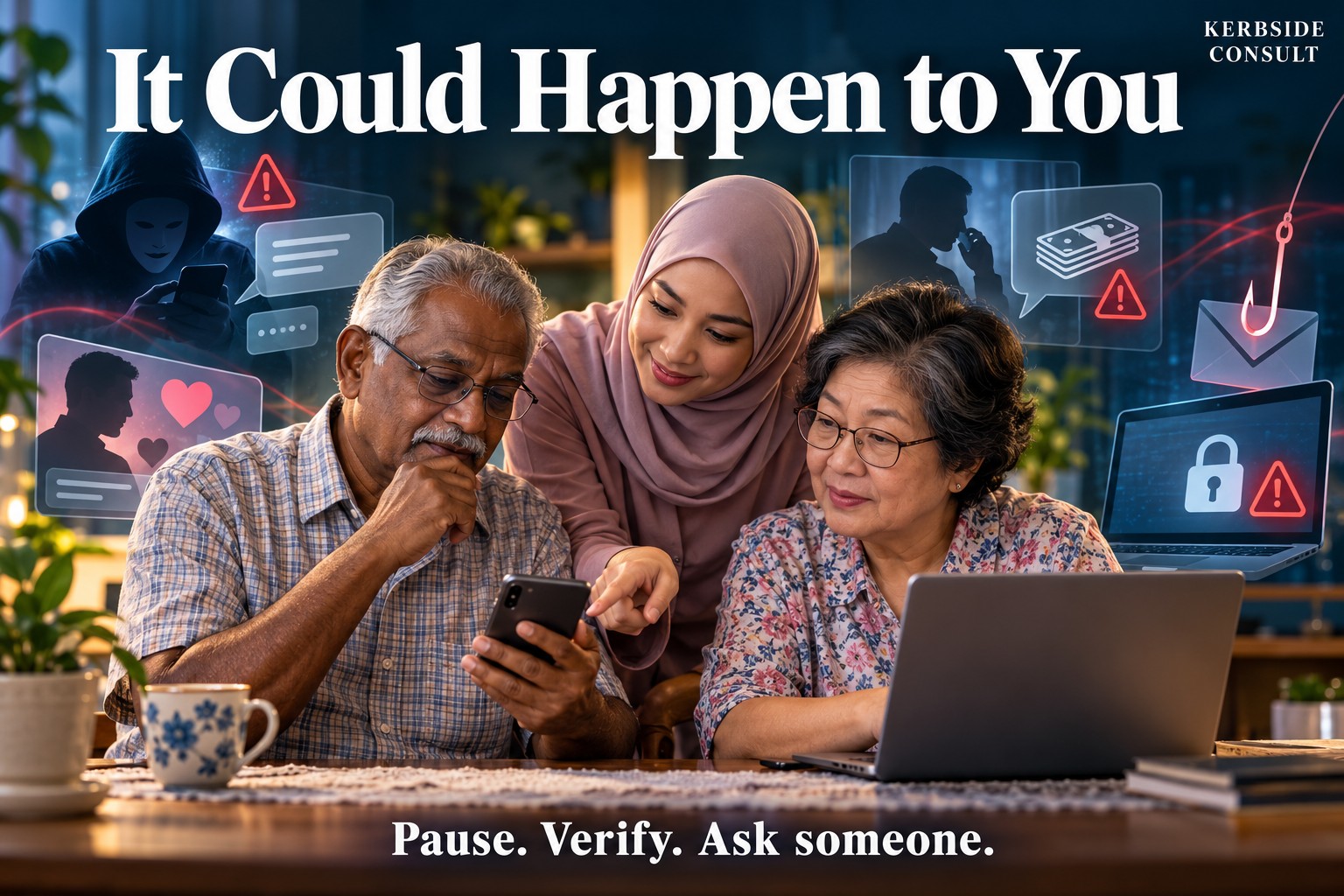
1. It could happen to you
“I would never fall for that.” Perhaps. But the scam you recognise easily is unlikely to be the one that catches you.
A scammer may exploit fear of arrest, concern for a child, hope of financial security, loneliness or embarrassment. Knowing your name, occupation or address does not establish that the caller is genuine.
Watch for unexpected contact followed by urgency, secrecy, threats, extraordinary returns or instructions to bypass normal safeguards.
An unexpected request involving money, banking access or intimate material deserves a pause and an independent check.
Independent means using contact details you already trust or obtain yourself. A telephone number, website or “verification officer” supplied by the suspected scammer is part of the same story.
2. Bank, government and family impersonation
The caller claims your account is compromised, your identity is linked to a crime, or money must be transferred to a “safe account”. Alternatively, a message apparently from a relative says: “New number. I need money urgently.”
BEFORE — Protect yourself
End the conversation and contact the organisation independently. For a bank, use the number on your card or its official application.
Never disclose your banking password, PIN, OTP/TAC or card security code to a caller. The Association of Banks in Malaysia states that banks do not request sensitive banking credentials by telephone. A genuine bank may contact you about suspicious activity, but you can end the call and call back independently. [2]
For a family emergency, call the relative on their established number. If you cannot reach them, contact another family member. A familiar photograph, voice or account name should not replace this check.
AFTER — Act now
If you disclosed credentials, approved a suspicious transaction or transferred money, contact your bank immediately. Ask it to secure the affected access or cards. Use its Kill Switch where appropriate. For financial loss, call 997 and lodge a police report. [1] [2]
Validation/help: Your bank’s official fraud channel; 997 for financial scams; PDRM for reporting.
3. Phishing, malware and computer threats
A delivery fee, unpaid bill, refund or attractive service offer may lead to a convincing login page—or instructions to install an application. A QR code can also lead to a fraudulent website.
Other threats arrive as fake technical-support warnings, malicious software (malware), stolen accounts or ransomware that locks files and demands payment. An alarming message claiming to have hacked you may instead be a bluff. An old password or personal detail alone does not establish current access.
BEFORE — Protect your computer and accounts
- Keep your computer, browser, phone and applications updated. Use supported software and enable automatic security updates.
- Use unique passwords and multifactor authentication. Protect your email particularly carefully: it can be used to reset other accounts.
- Keep backups of important files, including a copy disconnected from the computer. Check that you can restore them. [25]
- Avoid unexpected attachments, unfamiliar downloads and pirated software. Do not install an APK sent through messaging services. Open sensitive services through genuine apps or independently located websites.
- Never give remote access to an unexpected caller claiming to be technical support. Do not call the number in a frightening pop-up. [27]
- Lock your devices, enable banking notifications and read approval prompts carefully: what transaction are you authorising?
MCMC’s restrictions, effective from September 2024, prohibit hyperlinks, requests for personal information and callback numbers in SMS. Such messages deserve particular suspicion. Similar approaches can arrive through WhatsApp, Telegram, iMessage or RCS. [9]
AFTER — Match your action to what happened
| What happened? | What to do |
|---|---|
| Received a suspicious message only | Do not reply, click or download. Report it through the email or messaging service. |
| Clicked a link | Close the page. If you entered nothing and downloaded nothing, account compromise is not established. Check for unexpected downloads and run an updated security scan. If unusual behaviour continues, seek technical help. |
| Entered a password | From a trusted device, change the password and any reused versions. Sign out other sessions, check recovery details and enable multifactor authentication. For an email account, also check for unfamiliar forwarding rules. |
| Installed software or allowed remote access | Disconnect the affected device from the internet. Use another device to secure accounts and seek trusted technical assistance. If it is a work device, notify your IT team immediately. |
| Banking details exposed or money transferred | Contact your bank immediately and use its appropriate Kill Switch. If financial fraud occurred, call 997 and lodge a police report. |
| Files encrypted or a ransom demanded | Disconnect the device from networks and external drives. Preserve the ransom message. Seek technical help before wiping, reinstalling or restoring files. Paying does not guarantee recovery. |
| Threatened or blackmailed | Do not pay or send more material. Preserve messages, usernames and payment demands; report to police and the platform. Seek technical assessment if there are signs of an actual compromise. |
Adapted from official phishing, technical-support and ransomware guidance. Malaysian reporting contacts are given below. [26] [27] [28]
Preserve evidence, but do not delay urgent banking protection. Do not forward suspicious attachments to family or friends to ask them to inspect them.
If your messaging account was taken over, warn contacts through another channel.
Validation/help: The genuine service’s support team; your bank and 997 for financial fraud; police for extortion or threats; Cyber999 for technical incidents. Full telephone and email details appear in Section 12. [10]
4. Investment, shopping and job scams
These offers promise different rewards: investment profits, a bargain or easy earnings. Warning signs include pressure to act, payments to unrelated accounts and demands for additional money before receiving goods, earnings or withdrawals.
BEFORE — Protect yourself
For capital-market investments, check the individual or entity through the SC Investment Checker. Verify the actual contact details and payment destination too: scammers can impersonate a licensed firm or clone a regulatory website. Company registration alone is not investment authorisation. [4] [5]
For purchases, retain the platform’s payment and dispute protections. For jobs, independently contact the employer and question requests to pay before earning.
Check suspicious account numbers, telephone numbers or company names through PDRM Semak Mule. No adverse result is not a guarantee of legitimacy. A recipient not yet reported may still be fraudulent; use the service as one check, not permission to proceed. [3]
Never lend your bank account, ATM card or banking access to someone offering commission for receiving and forwarding money. PDRM warns that this can involve mule-account activity and expose the account holder to legal consequences. [8]
AFTER — Act now
Stop further payments, including supposed fees to release profits. Follow the urgent financial-loss steps. Preserve advertisements, receipts, chats and website addresses. Report fraudulent purchases through the platform’s dispute process.
If your account received suspicious money, tell your bank; do not forward it according to a stranger’s instructions.
Validation/help: SC 03-6204 8999; Investment Checker; Semak Mule; the shopping platform; your bank, 997 and police.
5. Love scams: when affection becomes a financial trap
The money request may come after a relationship has developed: medical treatment, travel expenses, customs charges or an emergency. Sometimes the supposed partner introduces an investment scheme. The SC specifically identifies this combination of romance and fraudulent investment. [6]
The relationship may be fraudulent. The victim’s feelings are real.
BEFORE — Protect yourself
Avoid sending money to someone known only online. Be cautious about repeated excuses for not meeting, secrecy and attempts to turn you against concerned friends or family.
Tell someone you trust about the relationship. Photographs and video calls can support a conversation, but they do not independently establish identity or financial legitimacy.
AFTER — Act now
Stop sending money and preserve the conversations and payment records. Financial loss requires urgent bank/997 action and a police report.
Families should approach the person without ridicule: “I can see this relationship matters to you. Before any more money goes, let us check the identity and the payment request together.”
Humiliation may close the very channel through which help could reach them.
Validation/help: A trusted person; Semak Mule; SC if an investment is involved; bank, 997 and PDRM for financial fraud.
6. Intimate images, sextortion and AI fabrication
Sextortion uses threatened exposure to demand money, further images or other compliance. Intimate-image abuse may also happen without a financial demand.
The material may have been shared voluntarily, secretly recorded, stolen or fabricated. Consent to create or privately share an image does not mean consent to distribute it.
BEFORE — Protect yourself
Remember that a private call or disappearing message can be recorded. Secure accounts and cloud storage, review privacy settings and discuss these risks with young people without threats or moral judgement.
Careful behaviour cannot eliminate the possibility of AI fabrication. A compromising image should not automatically be treated as proof that someone posed for it.
AFTER — Act now
Do not pay, send more material or comply with further demands. Preserve threatening messages, usernames, URLs and payment requests, then stop engaging. Report to the platform and police. This follows PDRM’s advice to refuse demands, stop the conversation, retain evidence and report sextortion. [11]
For eligible adult images already on your device, StopNCII.org creates a digital fingerprint on your device for participating platforms to detect matching content. It also accepts eligible synthetic intimate images depicting you. It cannot remove material from the entire internet or replace a police report. [12]
For images taken when the person was under 18—even if now an adult— Take It Down provides a separate service using files already on the person’s device. It works with participating platforms, not the entire internet. Do not download or forward intimate images of a child to gather evidence or use the service; seek reporting guidance. [13]
Validation/help: Platform reporting; PDRM; MCMC complaints portal; StopNCII/Take It Down where eligible; Talian Kasih 15999 for support.
7. Cyberbullying and harassment
Not every online harm is a scam. Repeated humiliation, impersonation, threats and publication of personal information may seek control or revenge rather than money.
BEFORE — Protect yourself
Limit public exposure of addresses, routines and personal contact details. Review who can message or tag you. Do not forward humiliating material “just to show someone”.
AFTER — Act now
Record the pattern: dates, URLs, usernames and threatening messages. Preserve evidence before blocking or restricting contact. Report abusive content to the platform; seek police assistance for threats, stalking, extortion or safety concerns.
Children should have a trusted adult involved. Families and schools should help protect the affected person without unnecessarily circulating the content.
Validation/help: Platform reporting; MCMC complaints portal; PDRM; Talian Kasih 15999 / WhatsApp 019-261 5999 for counselling, protection and social-support needs. Talian Kasih operates around the clock. [14]
8. Protecting older people and those living alone
Living alone does not mean being incapable. Age does not automatically make someone vulnerable. But an urgent decision is harder to check when nobody is nearby.
BEFORE — Agree on a safety plan
Nominate one or two trusted people. Agree that unexpected requests for money, new investments or transfers above a personally chosen amount require an independent call first.
Keep transfer limits appropriate to everyday needs. Enable transaction notifications and discuss whether an account holding modest spending money would help. Assistance should preserve the person’s autonomy; it should not require sharing passwords.
Place a simple card beside the telephone:
STOP — DON’T PAY YET
Do not give passwords, PINs or OTP/TAC.
Trusted person: ____________________
Bank’s official fraud number: ____________________
Money already sent? Call the bank and 997 immediately.
Regular companionship matters too. A warning poster cannot provide the attention that a persistent online “friend” offers.
AFTER — Help without blame
Stay with the person while they contact the bank and report. Ask gently whether there were earlier payments, other accounts or continuing threats.
The first response should be: “Thank you for telling me. Let us deal with this together.”
9. What banks and government are doing
Malaysia’s banking safeguards include stronger authentication, enhanced fraud detection, cooling-off periods for first-time banking/device registration, restriction to a single authentication device and dedicated 24-hour reporting channels. Banks also provide facilities such as Kill Switches to suspend affected access or cards. Exact functions vary by bank. [2]
The National Fraud Portal, launched by BNM, PayNet and financial institutions in August 2024, helps banks and authorities coordinate reports, trace stolen funds and share alerts. [7]
PDRM, the SC, MCMC and Cyber999 provide the investigation, verification and reporting routes listed in Section 12.
These protections matter. They cannot make every transfer safe.
I would also favour voluntary additional safeguards for customers who want them: longer pauses for unusual transfers, clearer warnings and carefully consented trusted-person alerts. These are proposals; availability would need to be checked with each bank.
10. The Law Is on Your Side
A scammer may tell you not to contact the police. A blackmailer may insist you will be blamed for the photograph. These messages serve the perpetrator. They should not prevent you from seeking help.
Depending on the facts, financial deception and threats may engage Malaysia’s provisions on cheating, extortion or criminal intimidation. The Penal Code’s anti-bullying provisions, sections 507B–507G, came into force on 11 July 2025 and address threatening or abusive behaviour and misuse of identity information, including online. [15]
The Online Safety Act 2025, effective from 1 January 2026, places duties on covered licensed service providers to address online harms and provide reporting and assistance mechanisms. [16]
The Cybercrimes Bill 2026 passed the Dewan Rakyat on 1 July and the Dewan Negara on 20 July 2026. It would replace the Computer Crimes Act 1997 and address computer-related fraud, identity theft, manipulated content used with criminal intent and intimate-image dissemination, alongside service-provider duties. [17] [18] [19] [22] [23]
The separate Cyber Security Act 2024, in force from 26 August 2024, primarily concerns national critical information infrastructure and specified cybersecurity services. [20] [24]
BEFORE — Respect others’ privacy
Do not circulate someone else’s intimate or humiliating material. Receiving it does not give you permission to share it.
AFTER — Seek protection
You do not need to know the correct legal section before reporting. Explain what happened and preserve the evidence. Let investigators determine the applicable offences.
The law cannot guarantee recovery of every ringgit or removal of every image. But embarrassment should never stop you from seeking its protection.
Tell someone. Preserve the evidence. Make the report.
11. The first few minutes—and the days afterwards
If money or banking access is involved
- Stop further payments and approvals.
- Contact your bank immediately, using a trusted telephone or device if yours may be compromised.
- Use the appropriate Kill Switch if accessible; difficulty finding it should not delay the call.
- Call NSRC 997. If you cannot get through immediately, continue seeking urgent assistance from your bank.
- Lodge a police report and retain evidence.
The current Malaysian government portal lists 997 as operating 24 hours daily. Act immediately. If more than 24 hours has passed, still contact your bank and police; do not assume help is pointless. Recovery is not guaranteed. [1]
For threats or intimate images, follow Section 6; financial recovery and image-removal reporting require different actions.
Follow through
Keep bank and police reference numbers, a timeline, transaction records and copies of reports. Ask your bank about its investigation and complaint process. Check that affected accounts and devices have been secured, and monitor for further suspicious activity.
Beware of an unsolicited “recovery agent” or “hacker” demanding advance payment to recover funds or erase images. Independently verify anyone offering help; do not pay for promises of guaranteed recovery. [29]
Loss can affect sleep, confidence and relationships. Seek support from a trusted person or Talian Kasih; consult a healthcare professional if distress persists or affects daily life. If there is immediate danger or someone cannot stay safe, seek emergency help.
12. Keep these contacts
| Need | Contact |
|---|---|
| Urgent financial-scam response | NSRC 997 — 24 hours daily |
| Secure banking access/cards | Your bank’s official fraud hotline, obtained from its card, app or website |
| Investment verification/reporting | SC Investment Checker; 03-6204 8999; aduan@seccom.com.my |
| Check suspicious recipient details | PDRM Semak Mule |
| Criminal threats, extortion or fraud | Nearest police station |
| Suspicious communications/content complaints | MCMC complaints portal |
| Malware, phishing or account compromise | Cyber999; cyber999@cybersecurity.my; 1-300-88-2999 during office hours |
| Emergency technical incidents | Cyber999 019-266 5850, listed for 24/7 DDoS, phishing and data-breach emergencies |
| Counselling, protection and social support | Talian Kasih 15999; WhatsApp 019-261 5999 — 24/7 |
| Eligible intimate-image protection | StopNCII for adults; Take It Down for images taken under 18 |
Download a printable A4 copy of these contacts (JPEG) to keep beside your telephone.
The channels have different functions: a content complaint does not freeze a bank transfer, and a technical incident report does not replace a police report. [1] [5] [10] [14]
Contact information checked on 7 October 2026. Some older official NSRC pages retain the previous opening hours; the updated government portal lists 24-hour operation. Service details may change.
13. Before you press send
We cannot memorise every scam. We can build a habit.
Pause. Verify through a different route. Ask someone.
Afterwards, stop the loss, protect access, preserve evidence, report and seek support.
Scams can take savings, privacy, confidence and trust. Our response should protect the person as well as the account.
Scammers do not need to fool us forever. A few unchallenged minutes may be enough.
Before you press send, make one independent call.
And if it has already happened, tell someone. Embarrassment should never be allowed to keep the scammer in control.